What is Microsoft Edge and what does it do?
Microsoft Edge: AI-Powered Browser for Windows
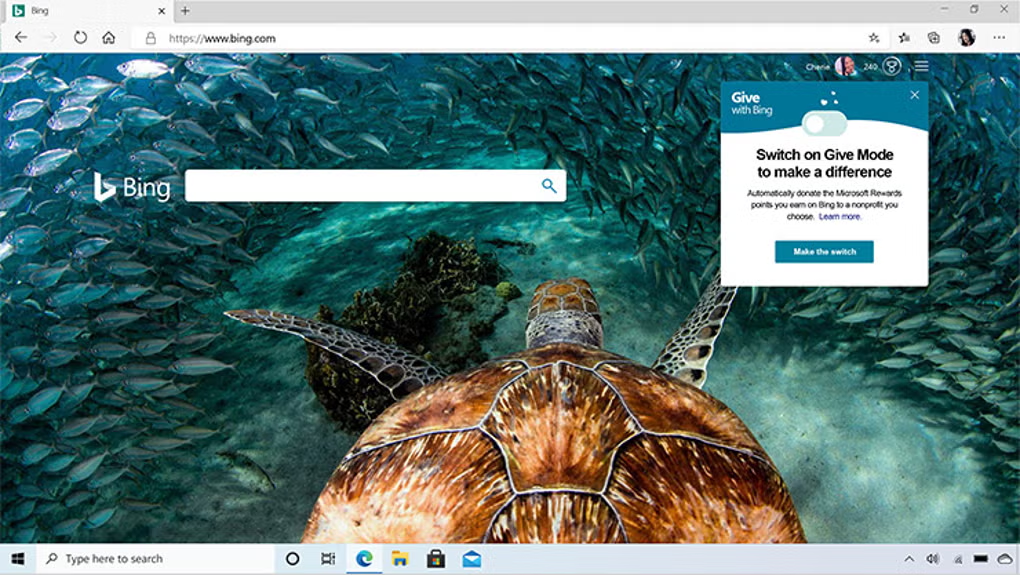
Microsoft Edge is a fast, energy-efficient web browser built on the Chromium engine, delivering seamless browsing across Windows 10/11 PCs, Android phones, and iOS devices. Unlike its legacy predecessor, modern Edge combines Chrome's compatibility with Microsoft-specific optimizations—including AI integration through Copilot, memory-saving features for multitaskers, and deep Windows ecosystem integration. It syncs bookmarks, passwords, and open tabs automatically while maintaining competitive performance with lower resource consumption than many alternatives.
Chromium Foundation with Microsoft Optimizations
Since its 2020 rebuild on the Chromium open-source project, Edge delivers full compatibility with Chrome extensions from the Chrome Web Store while adding Microsoft-exclusive enhancements. The browser supports modern web standards including WebAssembly (replacing legacy asm.js), HTML5 video without plugins, and hardware-accelerated rendering for 4K streaming. Unlike Internet Explorer, Edge does not support outdated technologies like ActiveX or Browser Helper Objects—eliminating security vulnerabilities while maintaining enterprise readiness through IE Mode for legacy internal sites.
AI Integration with Copilot
Edge features a dedicated Copilot sidebar providing AI assistance without leaving your current tab. Users can summarize lengthy articles, draft emails, compare products, or clarify complex topics through natural language prompts. Copilot works contextually with open pages—highlight text and right-click to "Ask Copilot" for instant explanations. This integration requires a Microsoft account but operates without mandatory subscriptions for core features. Unlike the deprecated Cortana assistant, Copilot leverages Microsoft's latest AI models for practical productivity rather than voice commands.
Performance and Memory Efficiency
Edge includes unique resource management features critical for Windows users running multiple applications. Sleeping Tabs automatically suspends background tabs after 2 hours of inactivity, reducing memory usage by up to 80% for idle content. Efficiency Mode throttles CPU usage during low-battery scenarios or when system resources run low—extending laptop battery life without closing tabs. Independent testing shows Edge typically uses 10–15% less memory than Chrome with equivalent tab loads, though it still consumes more RAM than lightweight alternatives like Firefox on minimal configurations.
Cross-Device Syncing and Continuity Features
Signing in with a Microsoft account enables automatic syncing of bookmarks, passwords, browsing history, and open tabs across Windows PCs, Android, and iOS devices. The Continue on PC feature lets Android/iOS users share links directly to their desktop browser via notification—ideal for transferring research between mobile and desktop workflows. Collections allow users to save articles, images, and links into categorized boards that sync across devices for project organization without third-party apps.
Built-in Productivity Tools
Edge includes practical tools that reduce extension dependency. Vertical Tabs display open pages in a sidebar—critical for managing 20+ tabs during research. The built-in PDF reader supports annotations, form filling, and digital signatures without Adobe Acrobat. Web Capture lets users save full-page or partial screenshots directly to Collections or OneNote. The Hub consolidates favorites, reading lists, history, and downloads in a single sidebar panel—replacing Internet Explorer's fragmented management tools with unified access.
Privacy and Security Controls
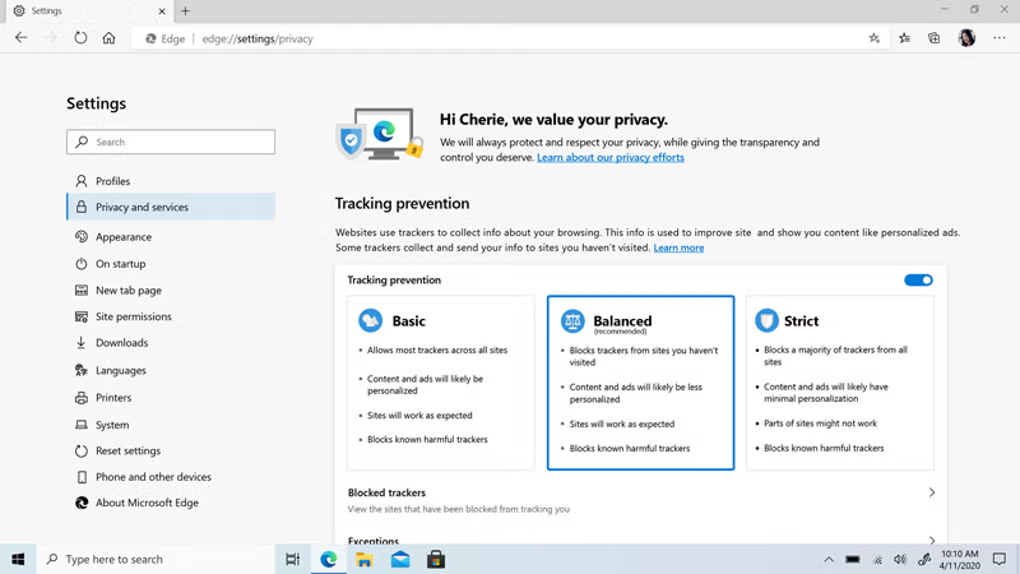
Edge provides three-tiered Tracking Prevention (Basic, Balanced, Strict) that blocks third-party trackers by default in Balanced mode—striking a practical balance between privacy and site compatibility. InPrivate mode prevents local storage of history, cookies, and form data, with optional tracker blocking enhancements. Unlike Chrome, Edge does not tie browsing data directly to advertising profiles by default, though telemetry data is shared with Microsoft for diagnostics (configurable in settings). Password monitoring alerts users if saved credentials appear in known data breaches.
System Requirements and Availability
Edge comes preinstalled on Windows 10 (version 1803+) and Windows 11. Standalone versions are available for Windows 7/8.1 (extended support ended January 2023), macOS 10.13+, Android 5.0+, and iOS 14+. The browser updates automatically every 4 weeks through Windows Update or its built-in updater. No subscription is required—all core features including Copilot access remain free for personal use, though commercial deployments may require Microsoft 365 licensing for advanced management.
What are the pros and cons of Microsoft Edge?
What are the best free alternatives to Microsoft Edge?



What does Microsoft Edge look like? Screenshots